Quote template for trades – charge-out rate, quotation and job costing
Many quotes go wrong before the first line is written, because the hourly rate does not cover holidays, PRSI, the van and the hours nobody pays for. The workbook works out a charge-out rate per grade from your own costs, builds the quote from materials, labour, plant and subcontractors, and checks the result against the job once it is done.
- Charge-out rate per grade
- 60 quotes with 400 quote lines
- VAT per quote including reverse charge (RCT)
- Budget against actual on won jobs
The rate behind the quote
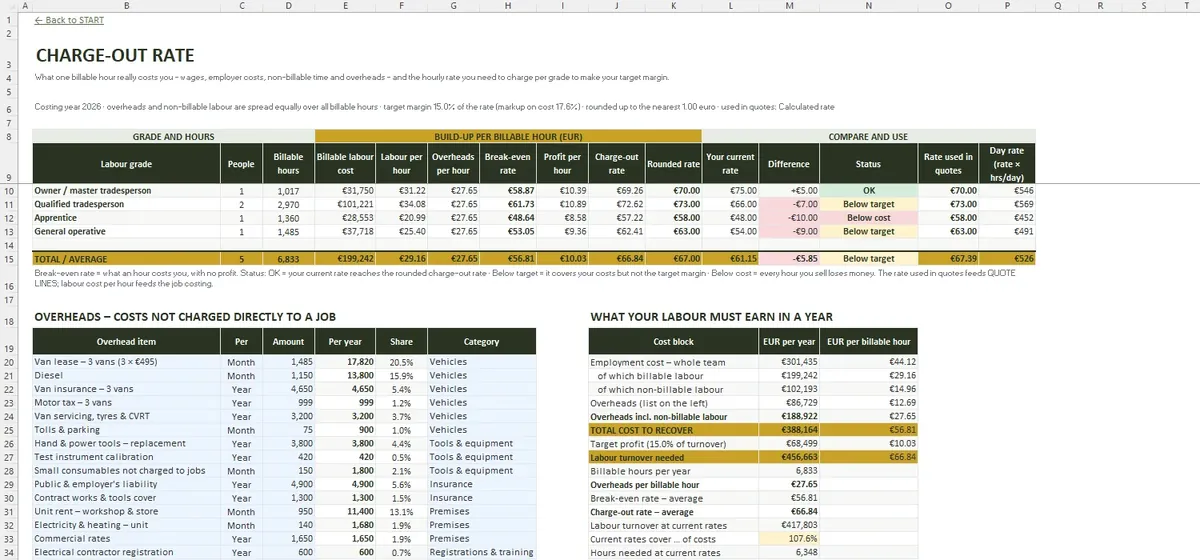
TEAM & HOURS starts from what each person costs you – wages, employer PRSI, pension and extras – and the hours you can actually charge for. CHARGE-OUT RATE adds your overheads – up to 30 lines – and the profit you want, and shows what each grade needs to charge.
Building the quotation
- Materials at cost with a markup
- Labour hours per grade at the charge-out rate
- Plant hire, subcontractors and a contingency
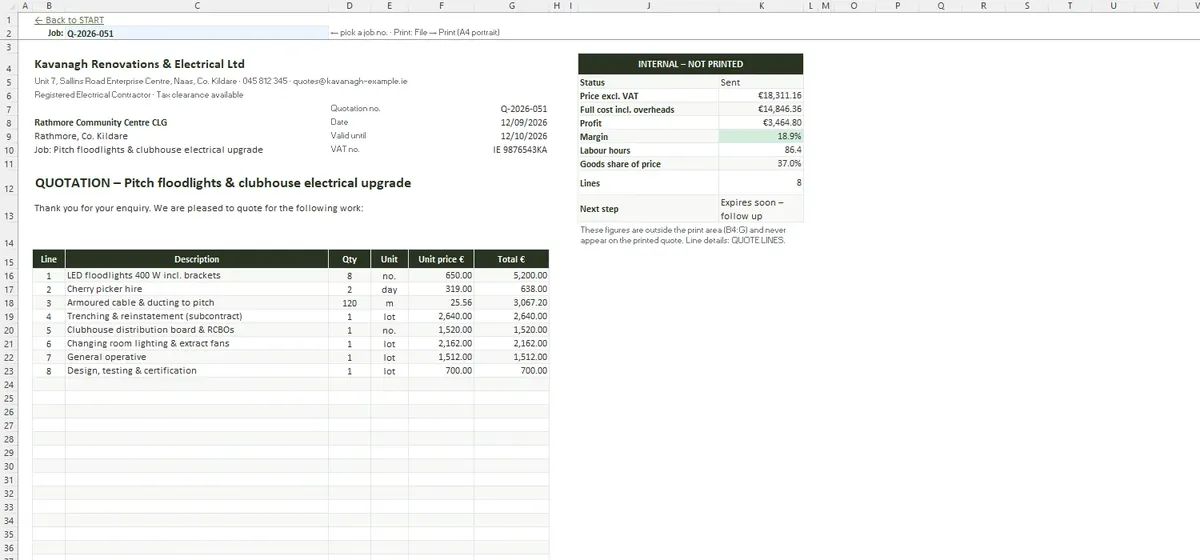
- A printed A4 document marked as quotation or estimate, showing the deposit, how long the price holds and rates for variations
VAT is set per quote: 13.5% for most building work, 23% where goods are more than two thirds of the price, 0% for qualifying solar panels, or reverse charge under RCT. The workbook warns when the two-thirds rule may apply.
Did the job make money?
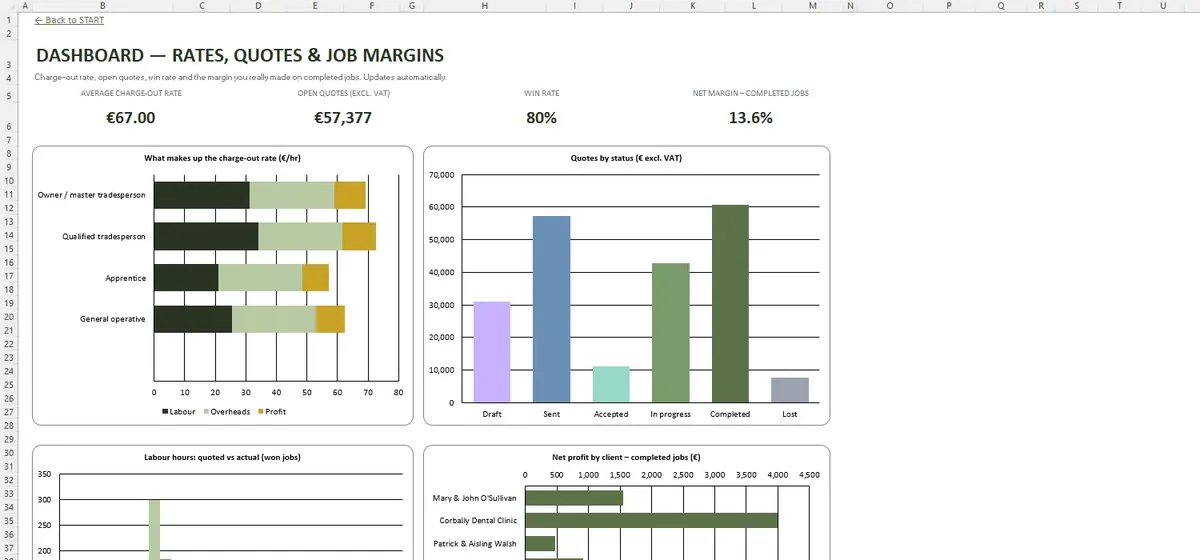
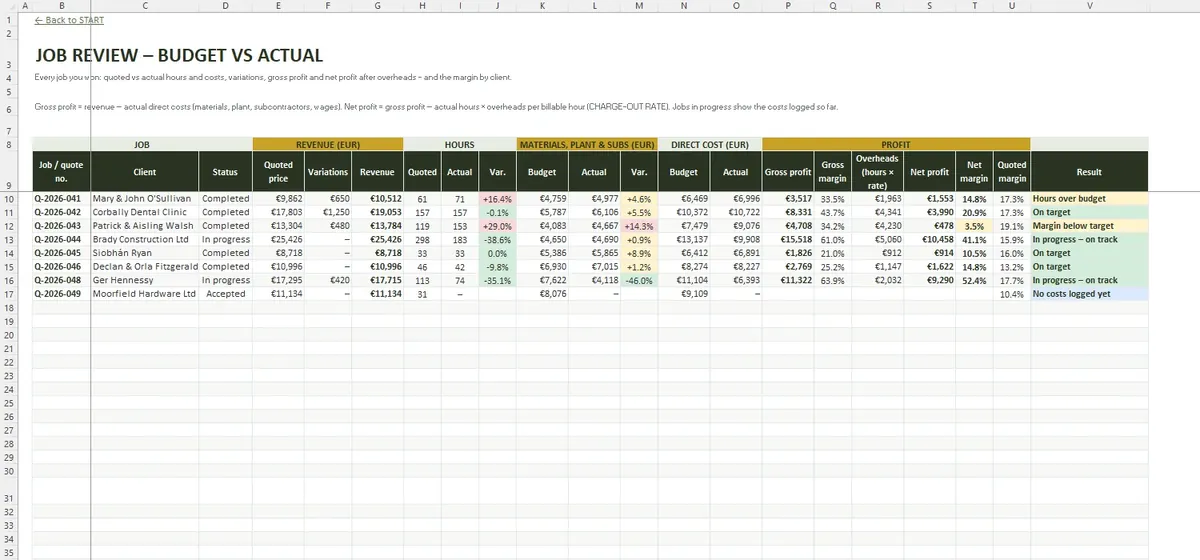
JOB COSTS records actual hours per grade, materials, plant hire and subcontractors. JOB REVIEW compares them with the quote for every job you won and shows the margin per job and per client.
Inside the workbook
Common questions
Quotation or estimate – which should I send?
How many staff can I cost?
Are the VAT rates fixed?
What is in the file
- START
- SETTINGS
- TEAM & HOURS
- CHARGE-OUT RATE
- JOBS
- QUOTE LINES
- QUOTE
- JOB COSTS
- JOB REVIEW
- DASHBOARD
- File format
- .xlsx
- Tabs
- 10
- Capacity
- 20 people · 30 overheads · 60 quotes · 400 quote lines · 600 cost lines
- Requires
- Excel 2016+ / Microsoft 365
- Macros
- None