Snag list template for a new home – room by room, until every snag is closed
Before closing on a new home you want every crack, scratch and sticking door written down, sent to the builder and checked again. The snag list walks you room by room, gives each snag a status and a next step, and prints a clear report for the builder filtered by room, trade or priority.
- About 80 checks in 12 categories
- Up to 500 snags in 40 rooms
- Open, fixed, verified, disputed or closed
- Countdown to the closing date
Walking the house
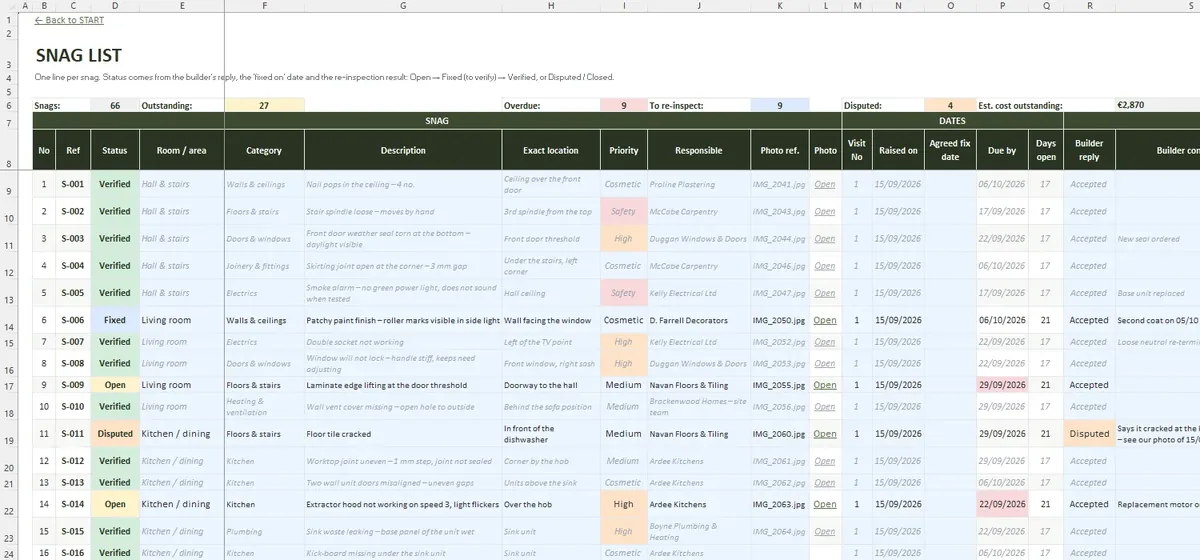
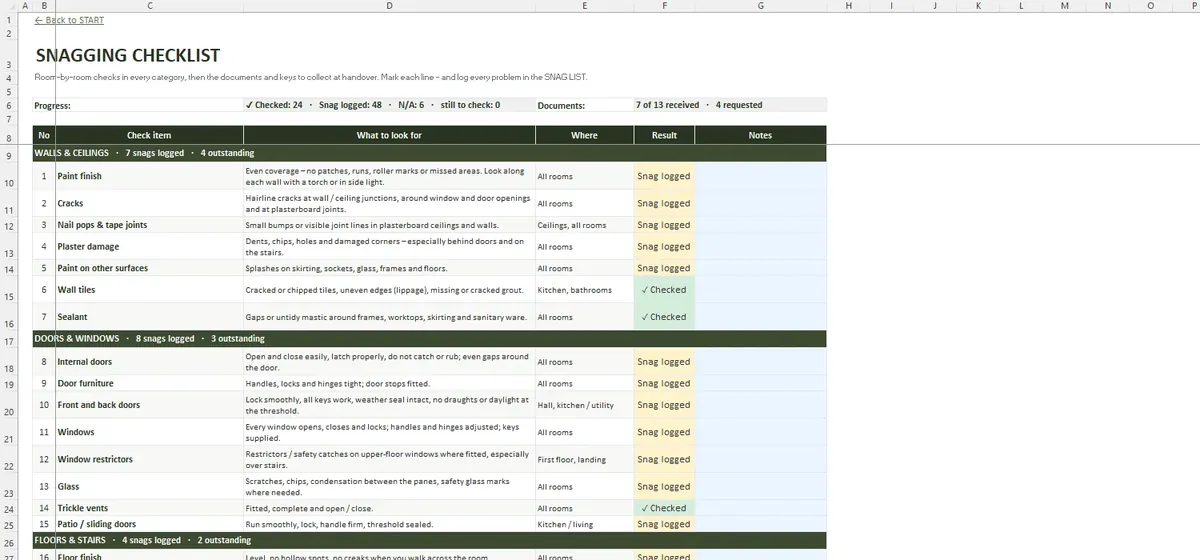
CHECKLIST lists about 80 checks room by room – walls, ceilings, doors, windows, floors, plumbing, electrics and more – and you can add your own. Each snag in SNAG LIST gets a room, category, description, location, photo reference, priority and the trade that should fix it.
The file in numbers
- START
- SETTINGS
- ROOMS
- CHECKLIST
- INSPECTIONS
- SNAG LIST
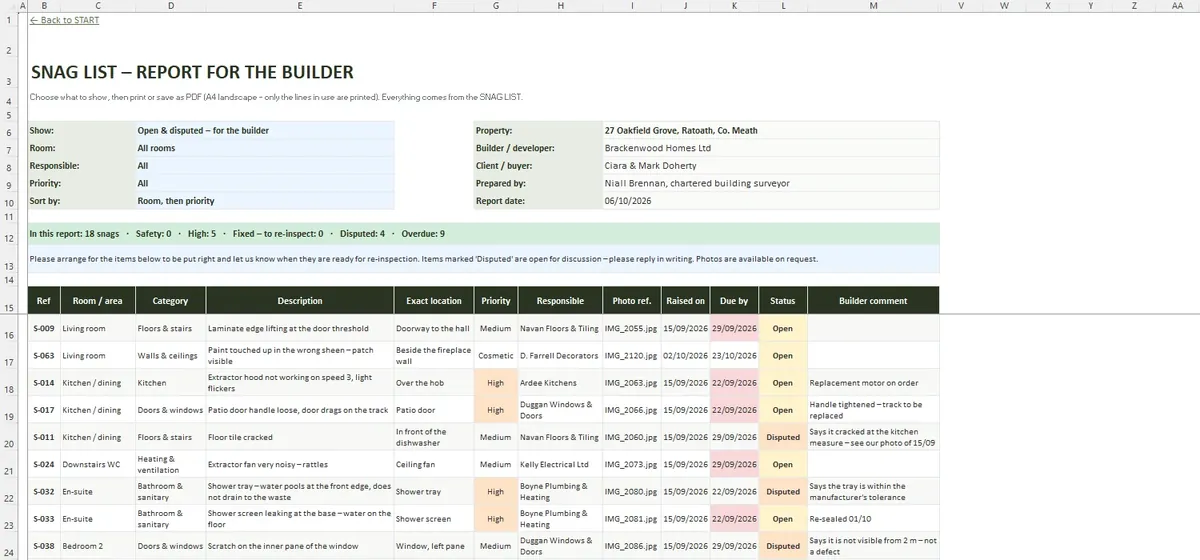
- BUILDER REPORT
- SUMMARY
- DASHBOARD
- File format
- .xlsx
- Tabs
- 9
- Capacity
- 500 snags · 40 rooms · 30 visits · 20 trades
- Requires
- Excel 2016+ / Microsoft 365
- Macros
- None
Back and forth with the builder
- Print BUILDER REPORT for the open snags, filtered as you need
- Log each visit in INSPECTIONS: snagging, walk-through or re-inspection
- Mark snags fixed, then verified when you have seen them yourself
- Keep disputed items visible until they are resolved
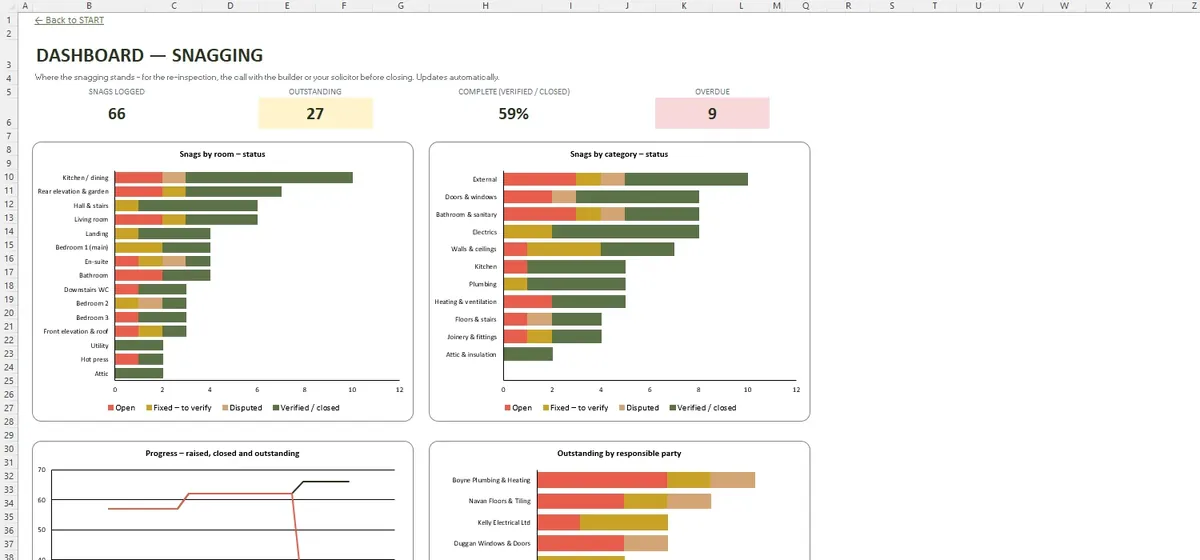
A look at the sheets
Common questions
Can I do the snagging myself?
Should the snag list be done before closing?
Does the template make the builder fix the snags?
Dates that matter
SETTINGS keeps the key dates, the builder, the snagger and your solicitor. The dashboard counts down to closing and SUMMARY shows a room-by-category matrix of what is still outstanding. Handover documents and keys have their own checklist.