Plant hire management in Excel – from booking to off-hire and invoice
A small hire fleet does not need expensive software, but it does need to know which digger is free on Monday and what to charge when it comes back late and dirty. The workbook takes each contract from booking to off-hire, catches double bookings and prints the invoice and hire agreement.
- 60 machines with day, week and 4-week rates
- 150 customers and 500 hire contracts
- 30-day calendar with double-booking check
- Off-hire checks with damage waiver excess
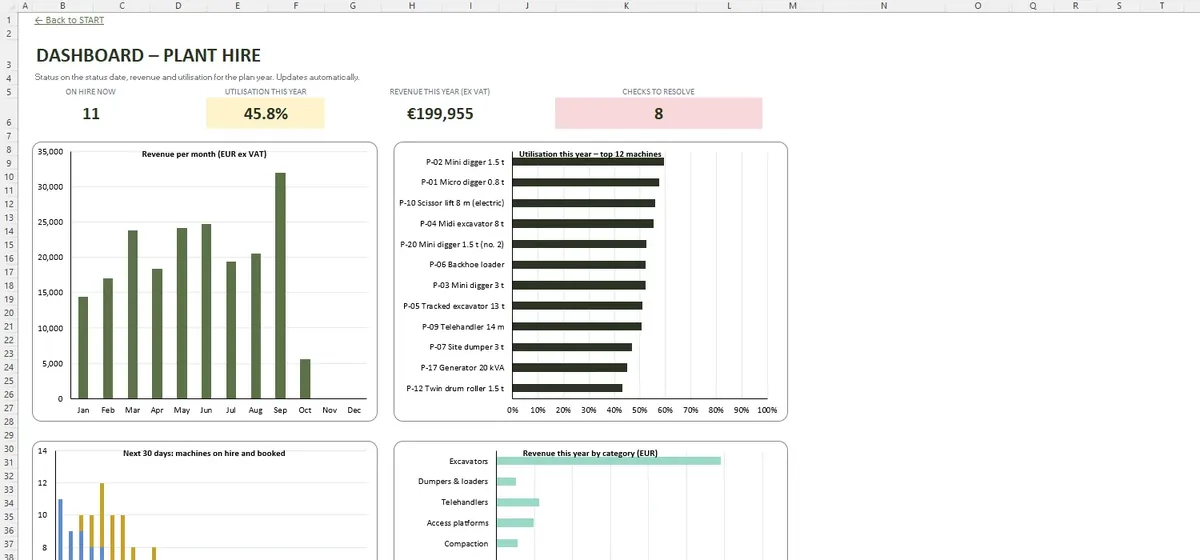
Charge days that follow your terms
SETTINGS decides whether charge days are counted on working days, skipping Irish public holidays, or on calendar days. For each contract the workbook picks the day, week or 4-week rate and records on-hire, off-hire called and collected dates.
A look at the sheets
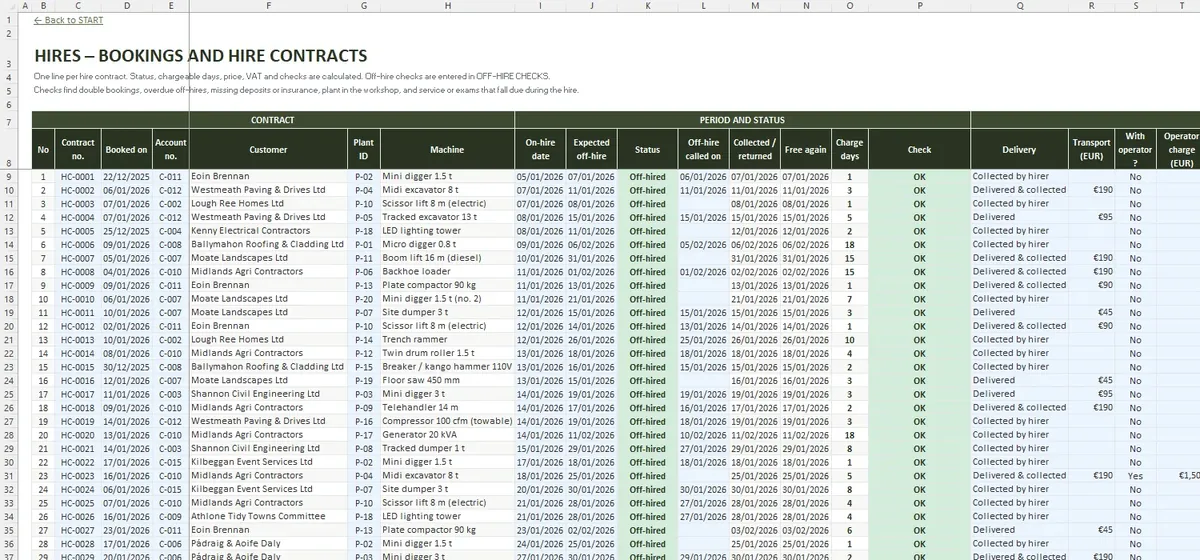
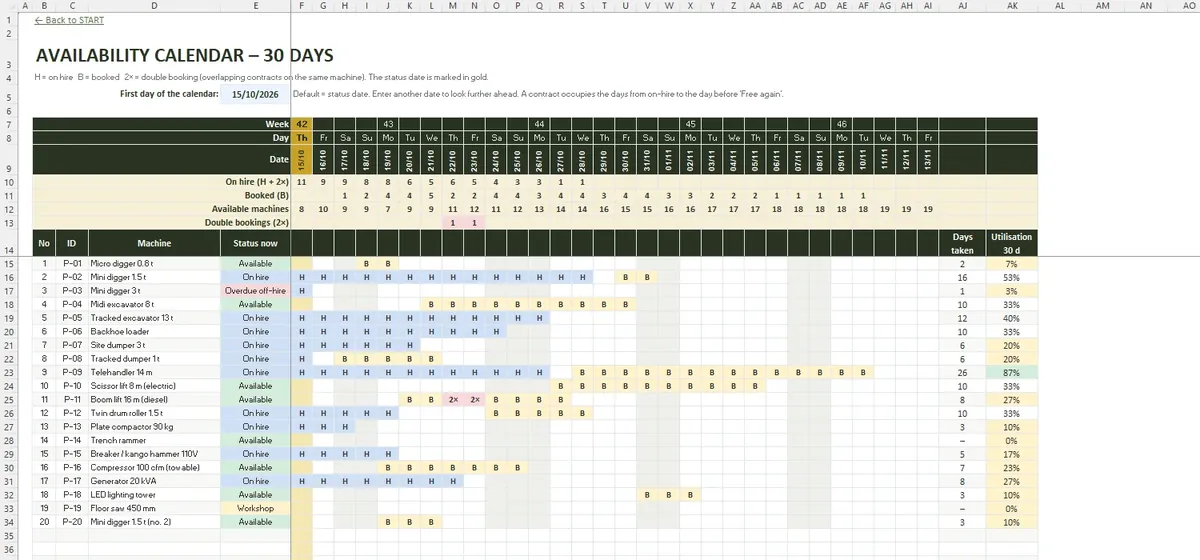
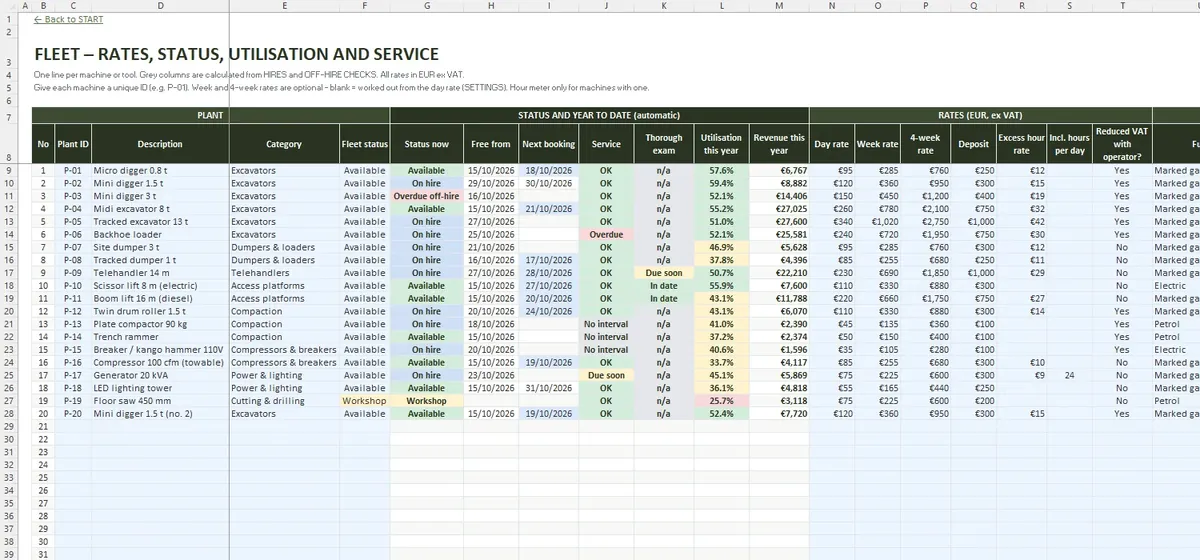
When the machine comes back
- Engine hours against the excess hour rate
- Fuel used and cleaning
- Damage, with the damage waiver excess applied
- Days late after the off-hire call
Everything lands on the A4 invoice with any discount.
VAT and paperwork
VAT is set per contract: 23% for machines hired without an operator, and 13.5% only for the machines Revenue lists when hired with an operator. HIRE AGREEMENT prints the agreement and delivery note for the customer to sign.
The file in numbers
- START
- SETTINGS
- FLEET
- CUSTOMERS
- HIRES
- OFF-HIRE CHECKS
- CALENDAR 30 DAYS
- INVOICE
- HIRE AGREEMENT
- DASHBOARD
- File format
- .xlsx
- Tabs
- 10
- Capacity
- 60 machines · 150 customers · 500 hire contracts · 500 off-hire checks
- Requires
- Excel 2016+ / Microsoft 365
- Macros
- None