Staff rota in Excel that checks rest periods and records hours
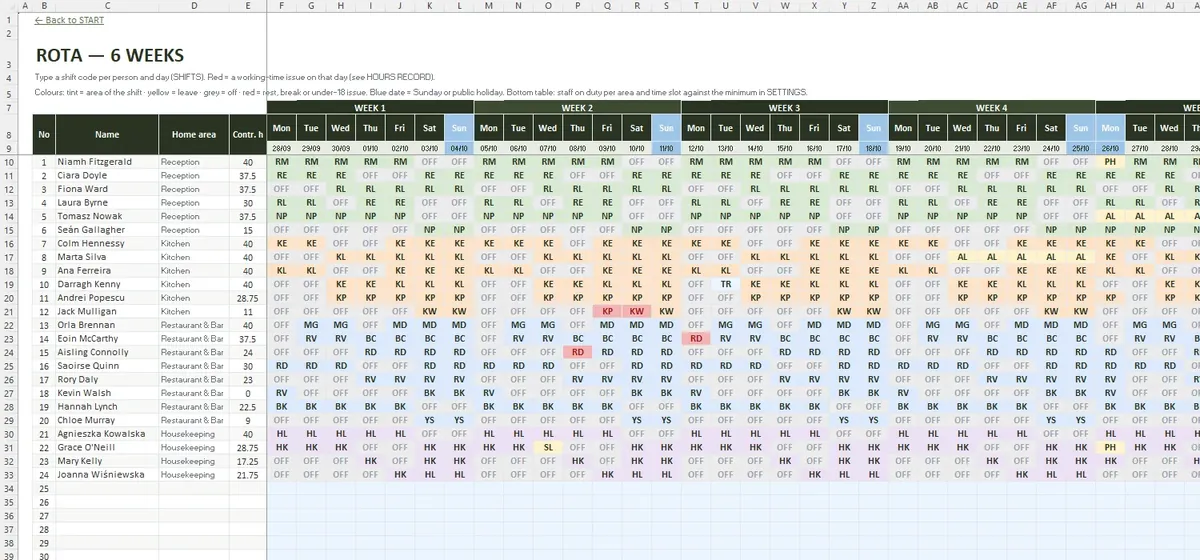
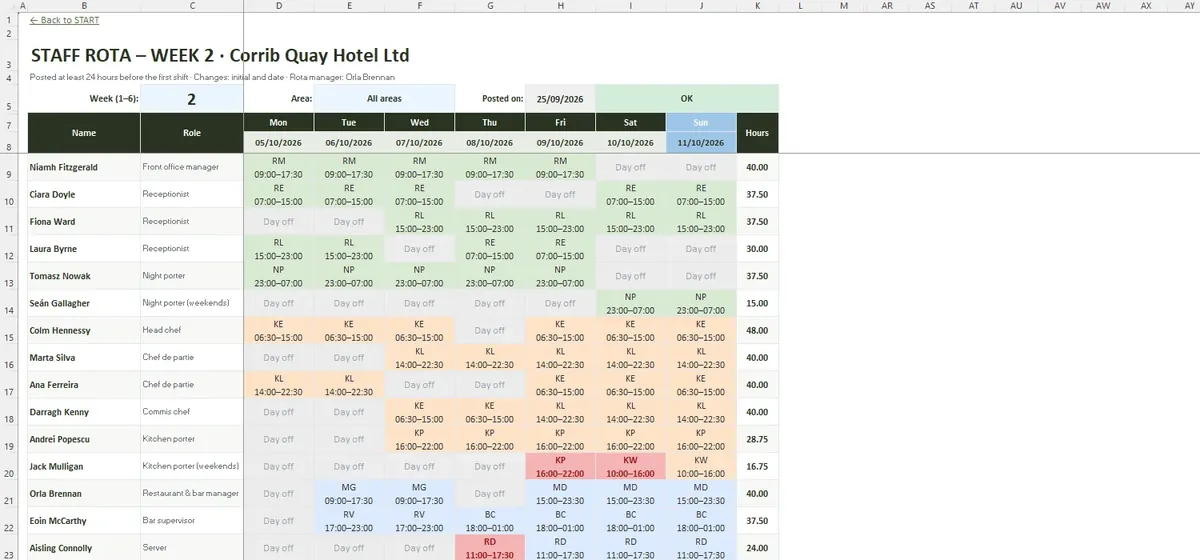
Type one shift code per person per day and the workbook does the counting: hours per week, cover against your minimum per area, Sunday hours and a red cell when a late finish is followed too closely by an early start. A weekly sheet prints in A4 landscape for the staff noticeboard.
- 6-week rota for up to 30 staff
- Up to 40 shift codes with unpaid breaks
- 20 cover rules across 6 areas
- Clock-in and clock-out record per day
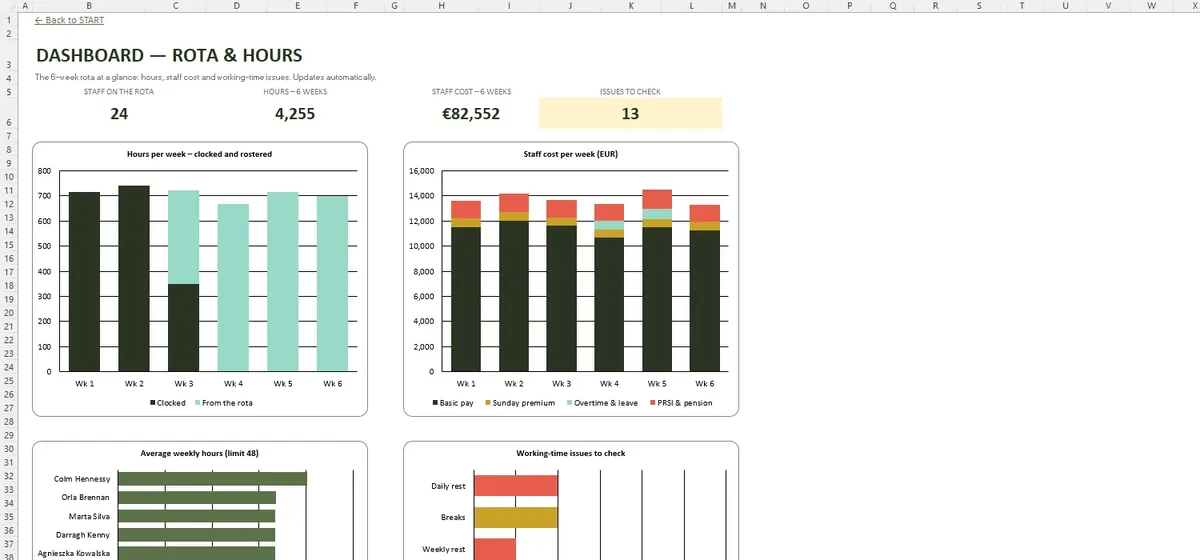
What the tabs look like
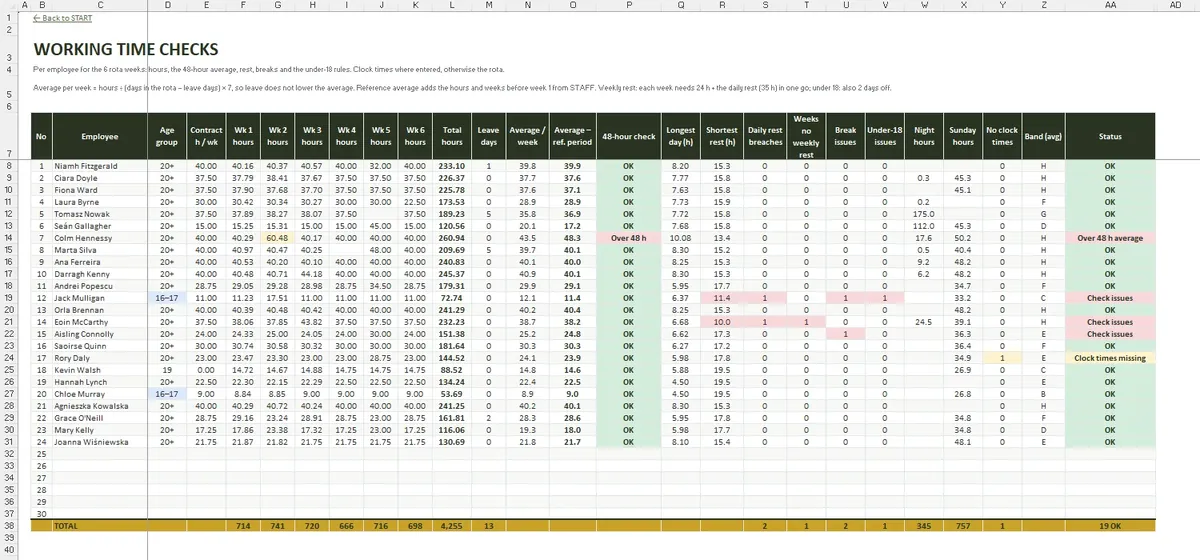
The working-time checks
- 11 consecutive hours' rest in each 24 hours
- A weekly rest period of 24 hours
- Average weekly hours over the reference period
- Breaks of 15 minutes after 4.5 hours and 30 minutes after 6 hours
- Separate limits for young workers under 18
The limits come from the Organisation of Working Time Act and the young-worker rules, were checked in October 2026 and are kept in SETTINGS where you can adjust them.
Who it is for
It suits shops, cafés, restaurants, nursing homes, clinics and small production units that plan in weeks rather than months. With 6 areas and 20 cover rules you can say, for example, that the till needs two people from 9 to 17 on Saturdays, and the rota shows where you are short.
From rota to payroll cost
HOURS RECORD holds the times actually worked, which is the record an employer needs to keep. STAFF COST then adds basic pay, the Sunday premium, overtime, paid leave, employer PRSI and the MyFutureFund contribution per person and week. PRSI rates carry an effective date, so a week after a rate change is costed at the new rate.
Common questions
Can I plan a four-week cycle?
Does it handle part-time staff?
Does it pay a Sunday premium automatically?
Is the minimum wage built in?
The file in numbers
- START
- SETTINGS
- SHIFTS
- STAFF
- ROTA
- WEEKLY ROTA
- HOURS RECORD
- WORKING TIME
- STAFF COST
- DASHBOARD
- File format
- .xlsx
- Tabs
- 10
- Capacity
- 30 staff · 6-week rota · 40 shift codes · 6 areas · 20 cover rules
- Requires
- Excel 2016+ / Microsoft 365
- Macros
- None