Training matrix in Excel – required courses, cards and renewal dates
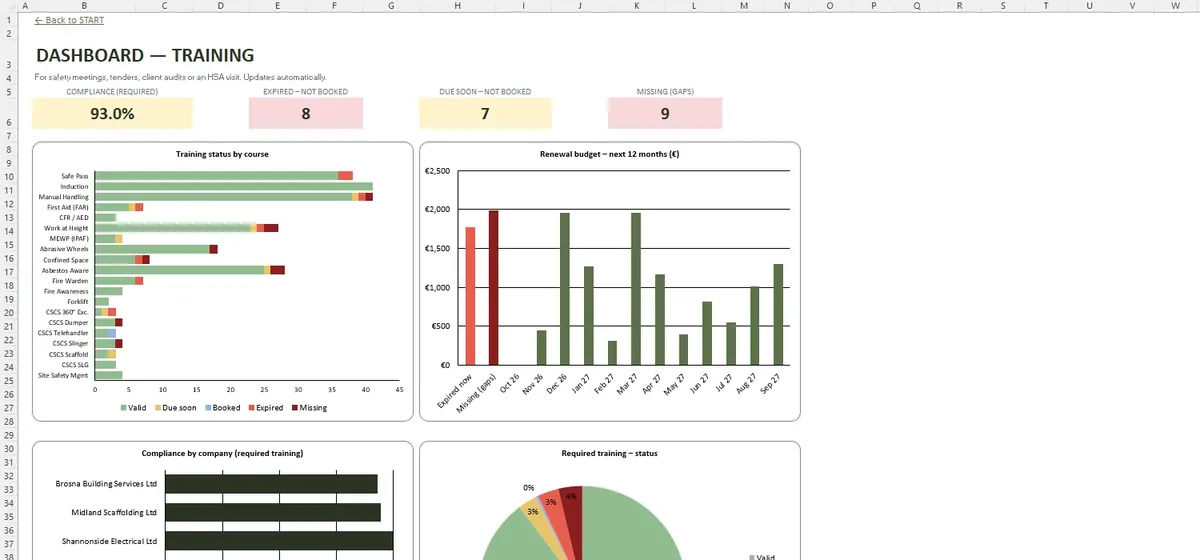
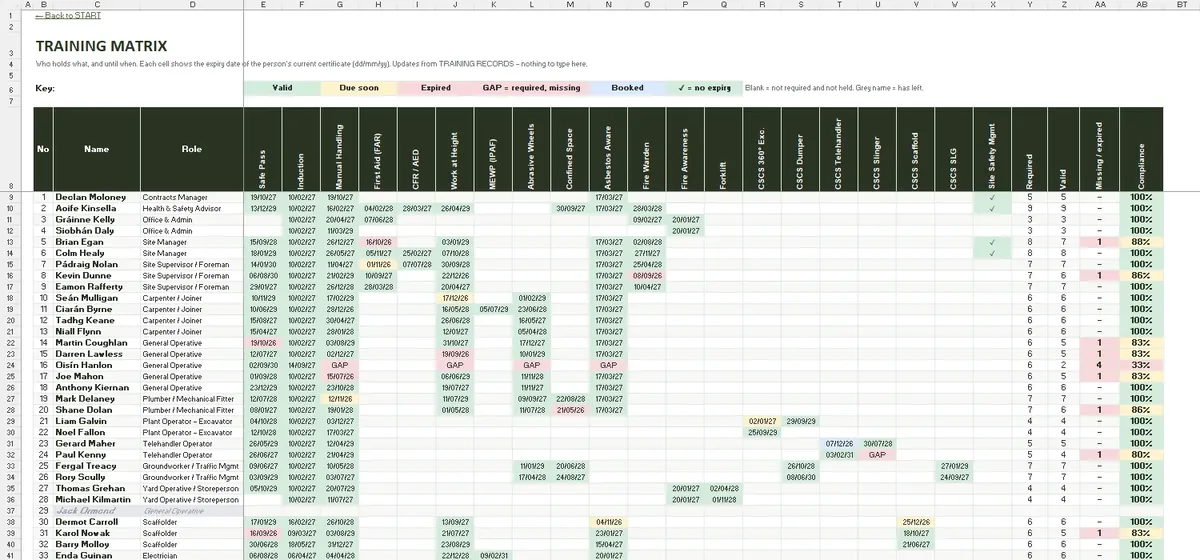
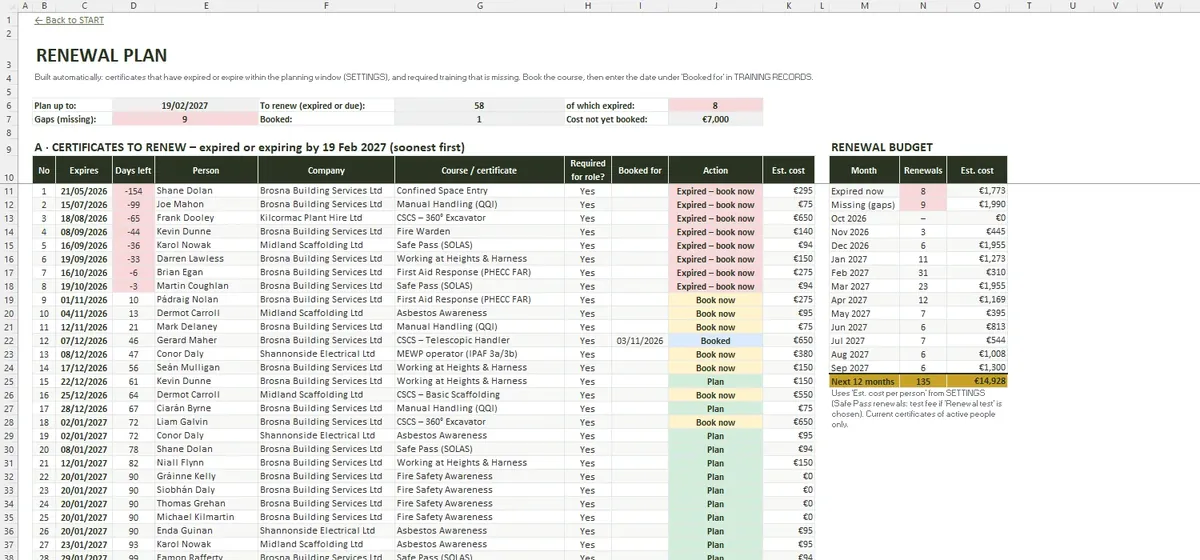
On a busy site the question is not who has done a course but whose card runs out next month. The matrix sets out what each role needs, shows every person's current certificate with its expiry date and builds a renewal list with the soonest first.
- 80 people, 20 courses and 16 roles
- Employees, subcontract and agency operatives
- Expired, due soon and missing flags
- Renewal plan sorted by date
Requirements by role
REQUIREMENTS is a role-by-course grid: R for required and O for optional. TRAINING MATRIX then compares each person with their role and fills each cell with the expiry date of the current certificate, coloured green, amber or red.
Safe Pass and other renewals
Safe Pass, manual handling, first aid, working at heights and plant tickets each have their own validity. SETTINGS lets you choose the Safe Pass renewal route and the warning window, and RENEWAL PLAN lists what has to be booked, including required courses nobody has done yet.
Subcontractors on the same page
- Company name and contact
- Safety statement received
- Insurance expiry date
- Operatives linked to the company in STAFF
Inside the workbook
Questions and answers
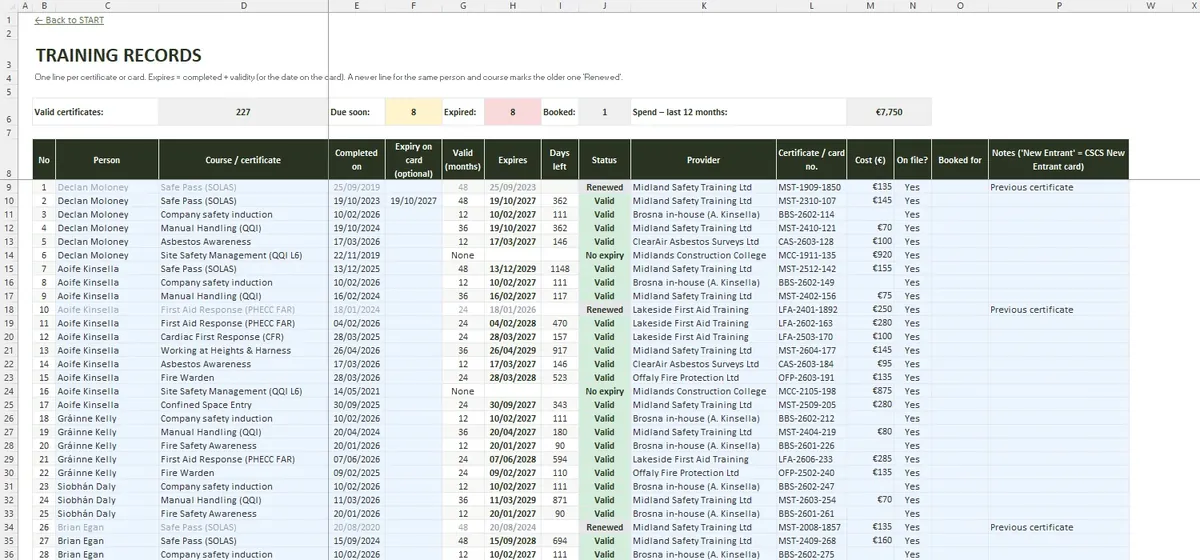
What counts as a training record?
Can agency workers be included?
Does the matrix make us compliant?
What is in the file
- START
- SETTINGS
- REQUIREMENTS
- STAFF
- TRAINING RECORDS
- TRAINING MATRIX
- RENEWAL PLAN
- SUBCONTRACTORS
- DASHBOARD
- File format
- .xlsx
- Tabs
- 9
- Capacity
- 80 people · 400 records · 20 courses · 16 roles
- Requires
- Excel 2016+ / Microsoft 365
- Macros
- None