Mileage log in Excel with civil service rates and a monthly claim form
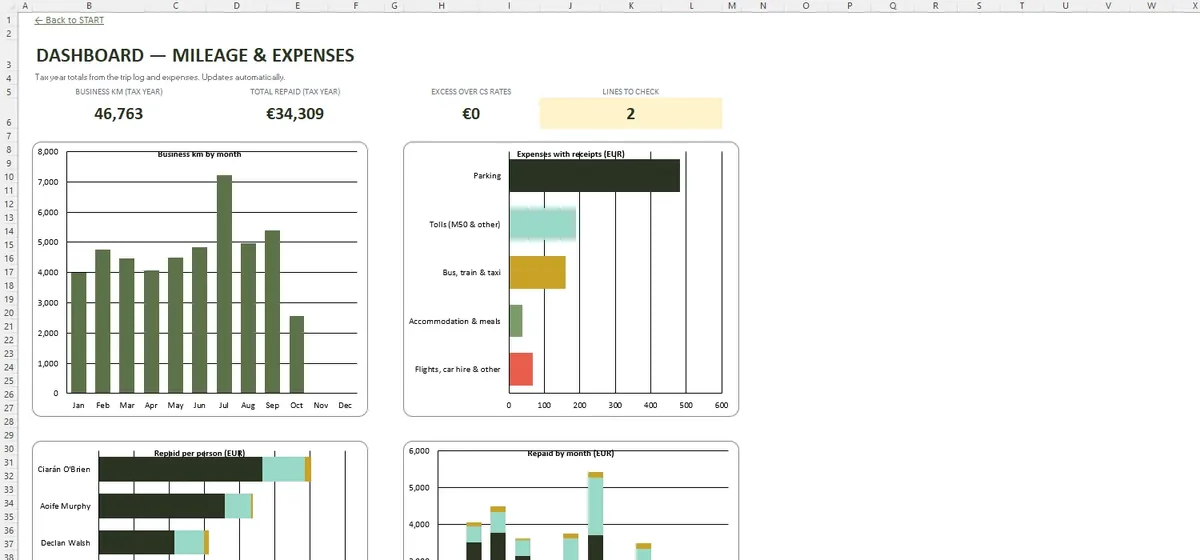
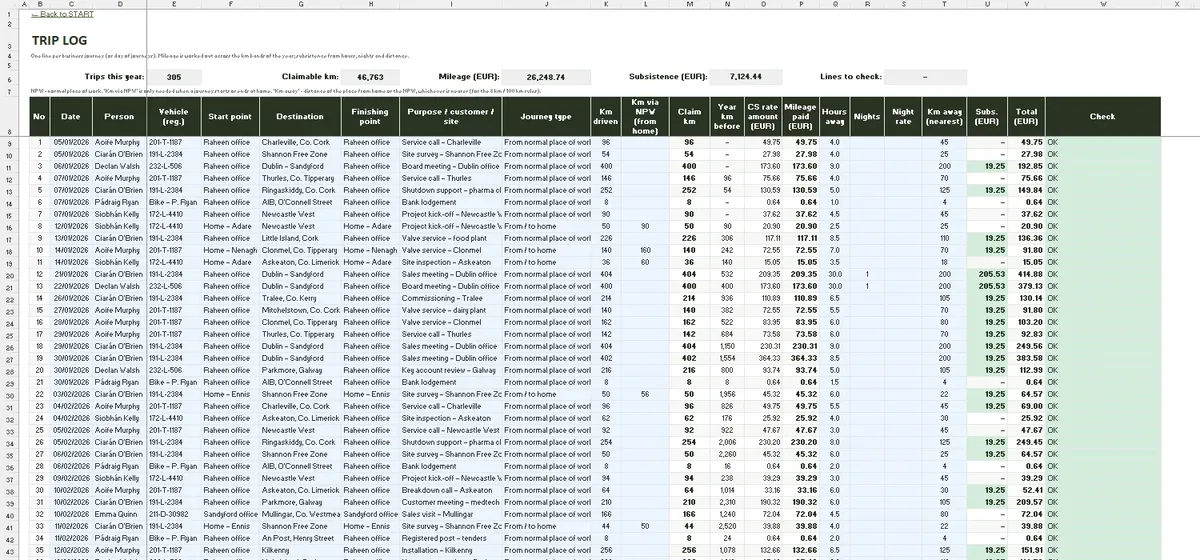
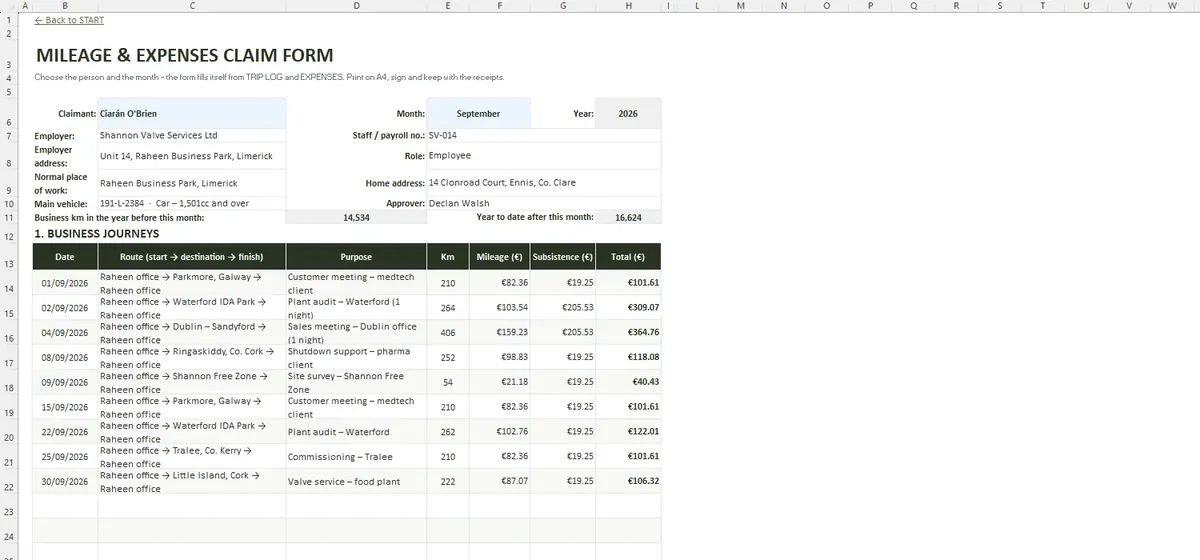
Revenue allows mileage and subsistence to be paid tax-free when the claim is backed by proper records. The log keeps every journey with the details Revenue looks for, applies the civil service motor rate bands and prints a monthly claim per person.
- 20 people, 25 vehicles, 1,200 journeys
- Civil service rate bands by engine size
- 600 expense lines for tolls and parking
- Monthly A4 claim form with home address
What each journey records
| Field | Why it matters |
|---|---|
| Date and purpose | Links the trip to the work |
| Start, destination and finish | Shows the route and the home address rule |
| Kilometres | Drives the rate band |
| Person and vehicle | Sets the rate category |
The rates were checked against the civil service circulars on 22 October 2026 and are editable.
Bands that reset each year
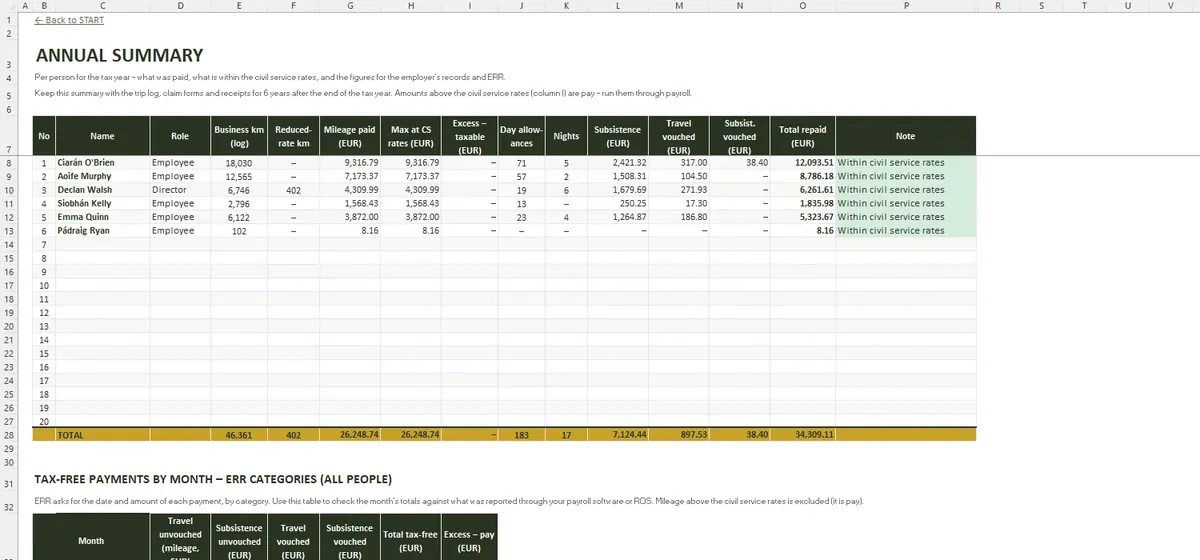
Civil service motor rates drop as the kilometres in the year add up. The log counts kilometres per person through the tax year and moves each journey into the right band, splitting a journey across bands when it straddles the threshold. ANNUAL SUMMARY shows the kilometres, the amount paid and the maximum at civil service rates.
Questions people ask
Can I claim from home to a client's site?
Can a self-employed person use it?
Can my company use a flat rate instead?
Inside the workbook
The file in numbers
- START
- SETTINGS
- PEOPLE
- VEHICLES
- TRIP LOG
- EXPENSES
- CLAIM FORM
- ANNUAL SUMMARY
- DASHBOARD
- File format
- .xlsx
- Tabs
- 9
- Capacity
- 20 people · 25 vehicles · 1,200 journeys · 600 expense lines
- Requires
- Excel 2016+ / Microsoft 365
- Macros
- None
Expenses beside mileage
EXPENSES has 600 lines for parking, the M50 and other tolls, buses, Luas, trains and taxis. They appear on the monthly claim with the journeys, so one form covers the month.