Fire safety register in Excel – the log book for your premises
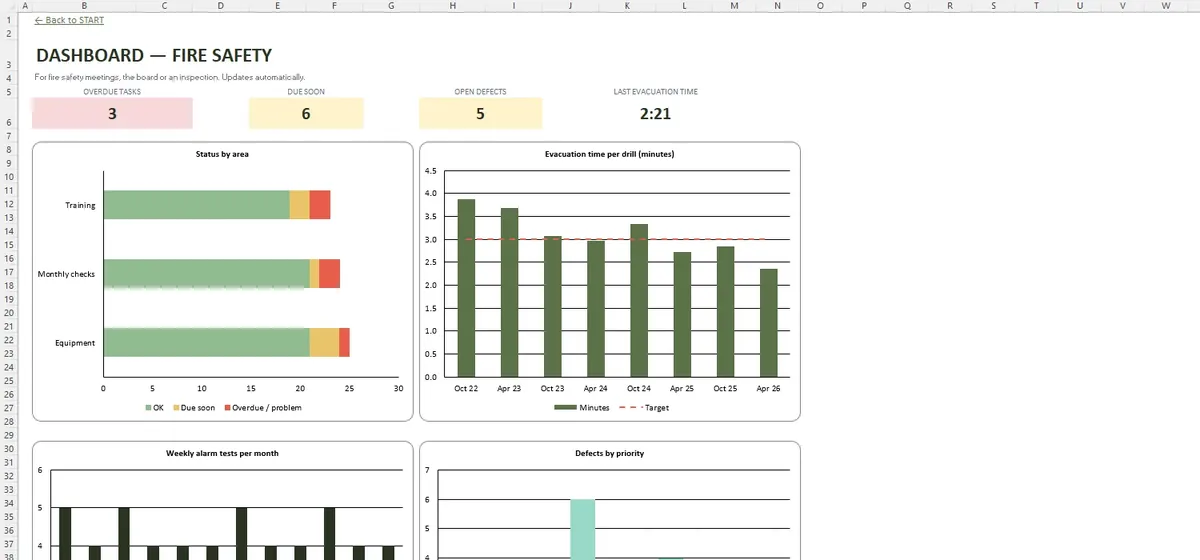
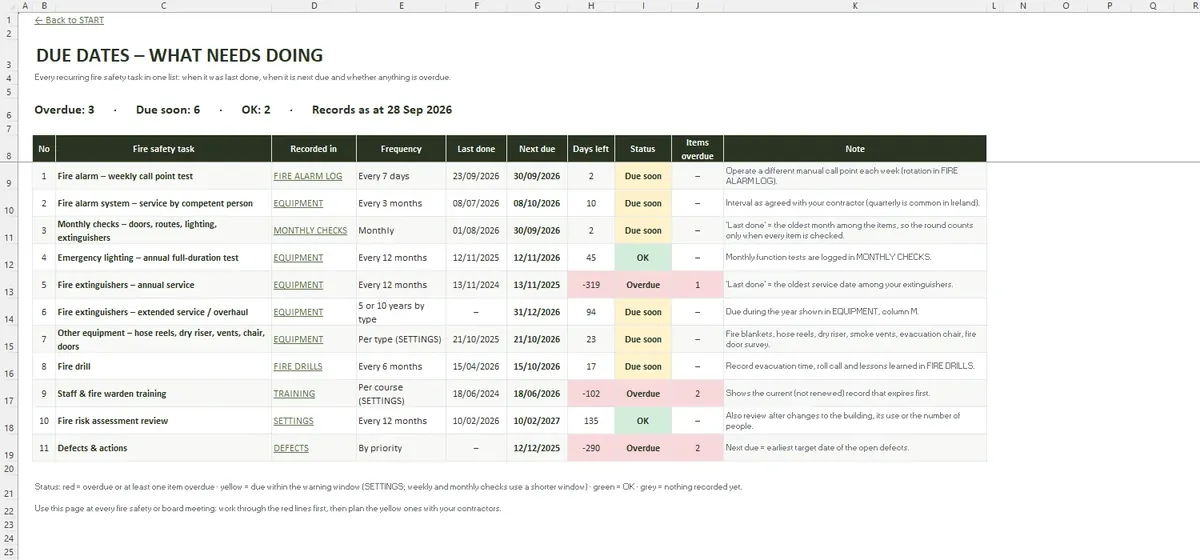
A fire officer or insurer will ask to see the log: weekly alarm tests, emergency lighting checks, extinguisher services, drills and training. The register keeps all of it with due dates, so a missed test shows up in red rather than at the next inspection.
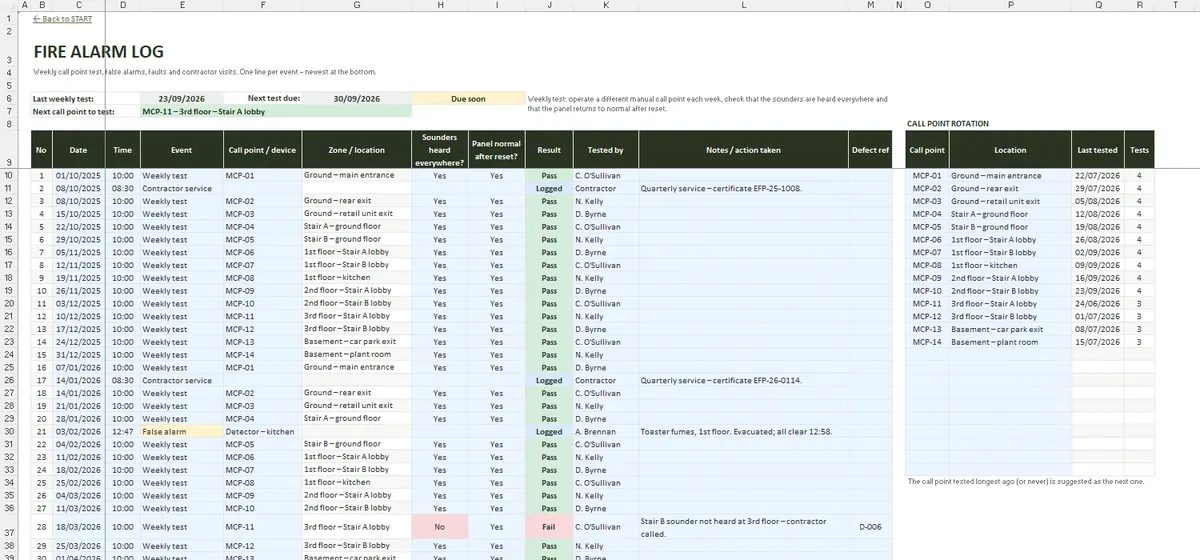
- Weekly alarm test log with call point rotation
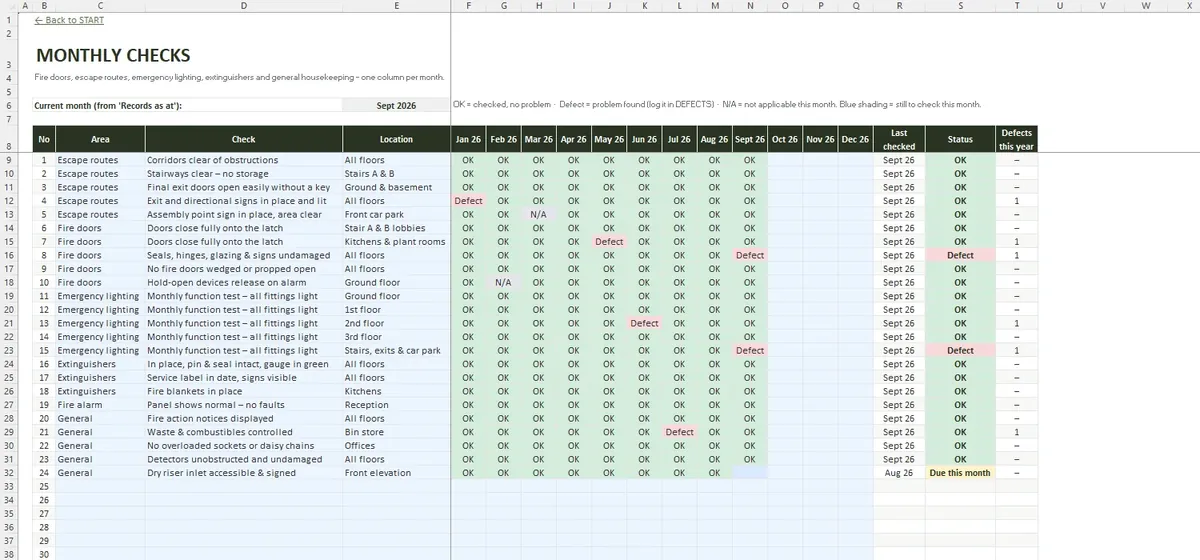
- 12-month grid for doors, routes and lighting
- Due dates on 11 recurring tasks
- Drills timed against your target
The routine checks
- A weekly fire alarm test from a different manual call point each time
- Monthly checks of fire doors, escape routes and emergency lighting
- Service dates for the alarm, emergency lighting, extinguishers, hose reels and other equipment
- Fire drills with time from alarm to all clear and roll call
Typical intervals follow common Irish practice, such as the weekly alarm test under I.S. 3218 and a monthly emergency lighting check under I.S. 3217. Every interval can be changed in SETTINGS.
When something is wrong
DEFECTS lists each problem found with priority, owner, target date and status, so a damaged door closer or a failed emergency light is not forgotten between tests. FIRE ALARM LOG also records false alarms, faults and contractor visits.
People and training
TRAINING lists fire wardens and staff by course with expiry dates. SETTINGS holds the premises details, the person in control and your contractors, so the register reads as a complete log book.
What the tabs look like
Common questions
Can it replace the council's paper register?
How many entries does it hold?
Does using it make the building compliant?
What is in the file
- START
- SETTINGS
- DUE DATES
- FIRE ALARM LOG
- MONTHLY CHECKS
- EQUIPMENT
- FIRE DRILLS
- TRAINING
- DEFECTS
- DASHBOARD
- File format
- .xlsx
- Tabs
- 10
- Capacity
- 200 alarm log lines · 60 items · 100 defects
- Requires
- Excel 2016+ / Microsoft 365
- Macros
- None