Stock control in Excel – reorders, stock take and closing stock value
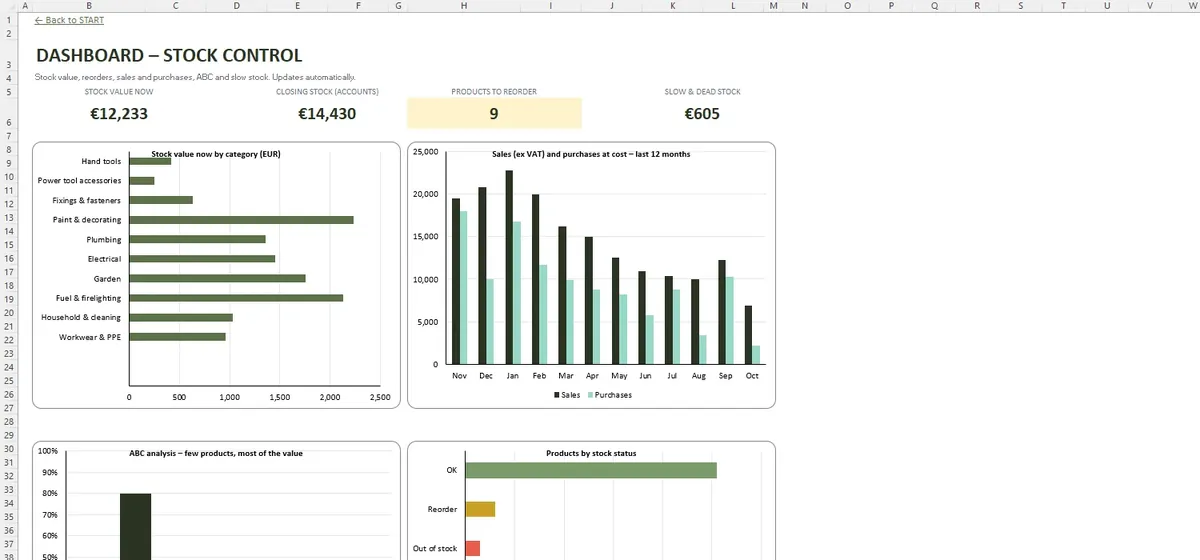
Stock on hand is only right if every purchase, sale, return and breakage is recorded. The workbook builds each product's balance from its movements, tells you what to reorder and values the closing stock at the year end the way your accountant needs it.
- 200 products and 2,000 movements
- 20 suppliers with lead times
- Blind count sheet and recounts
- FIFO or weighted average, written down to NRV
Reorder before you run out
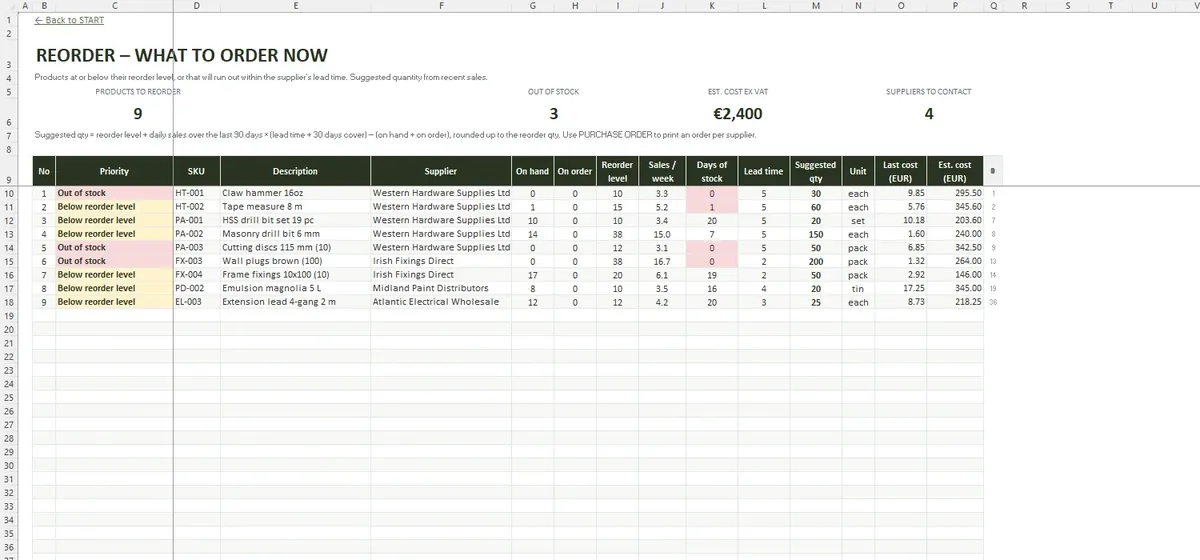
REORDER lists products below their reorder level or likely to run out within the supplier's lead time, with a suggested quantity based on recent sales and stock already on order. PURCHASE ORDER fills in an A4 order for one supplier from those suggestions.
Inside the workbook
The year-end stock take
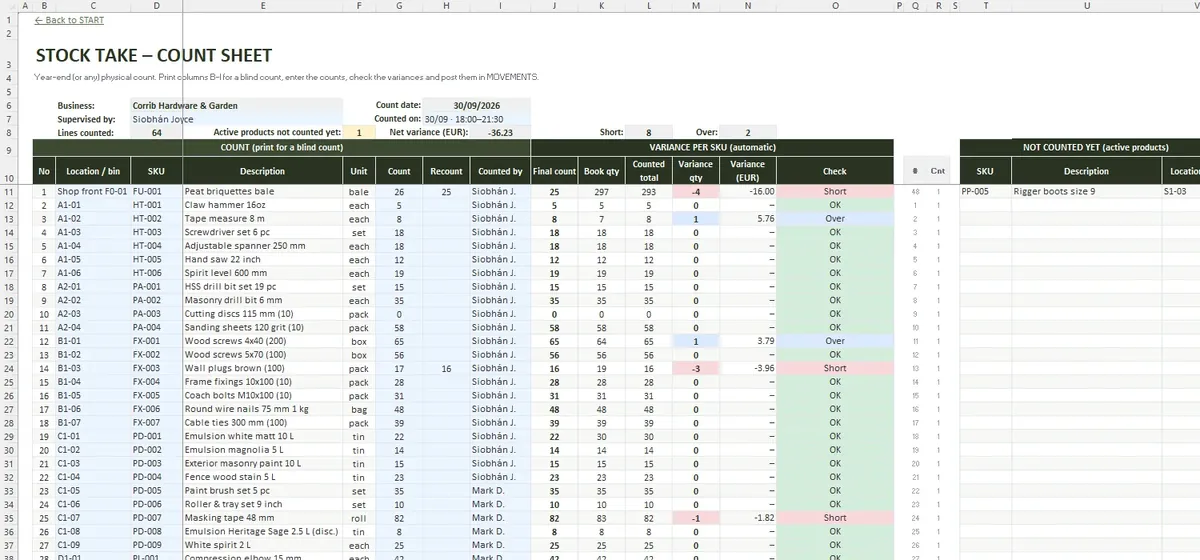
- Print STOCK TAKE in location order without book quantities
- Count every location and enter the figures
- Recount where the variance is large
- Check the list of products not counted yet
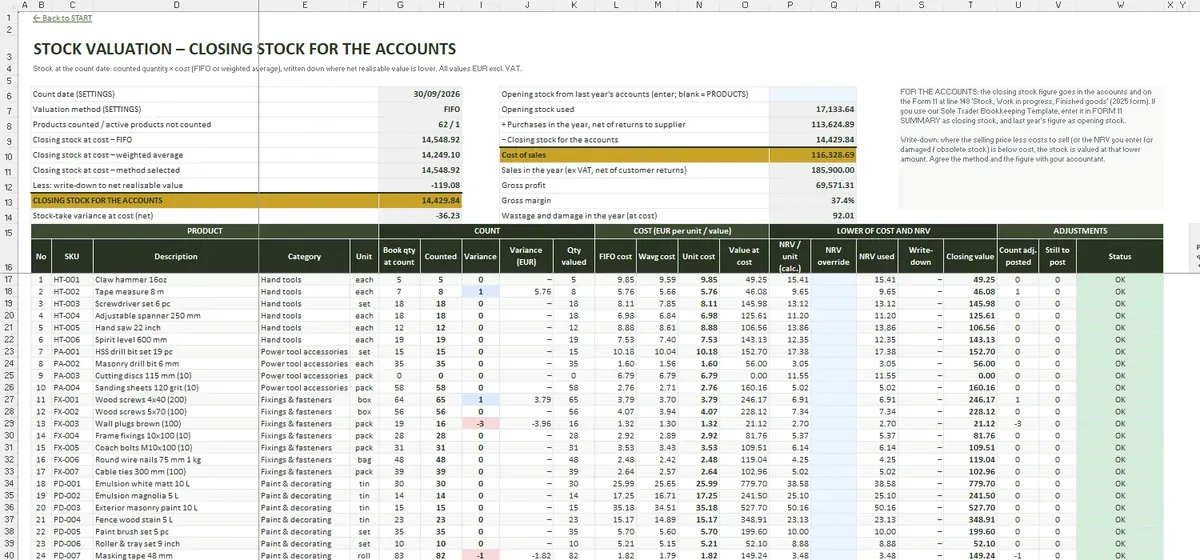
VALUATION then values closing stock at the count date at FIFO or weighted average cost and writes it down where the net realisable value is lower.
Slow stock and dead stock
ANALYSIS ranks products with an ABC analysis and shows stock turnover and days of stock by category. Slow and dead stock is listed, so you can decide what to discount before it ties up more cash.
Workbook facts
- START
- SETTINGS
- PRODUCTS
- MOVEMENTS
- STOCK TAKE
- VALUATION
- REORDER
- PURCHASE ORDER
- ANALYSIS
- DASHBOARD
- File format
- .xlsx
- Tabs
- 10
- Capacity
- 200 products · 2,000 movements · 300 count lines · 20 suppliers
- Requires
- Excel 2016+ / Microsoft 365
- Macros
- None