Recipe costing in Excel – cost per portion, menu price and food cost %
A chicken supplier puts up his price and twenty dishes change cost overnight. Recipe costing keeps ingredient prices in one list and pulls them through every recipe and sub-recipe, so you see the new cost per portion, the food cost % and the gross profit as soon as the price is typed.
- 200 ingredients with pack size and yield
- 100 dishes and sub-recipes
- Menu price from your target food cost
- Printable recipe card
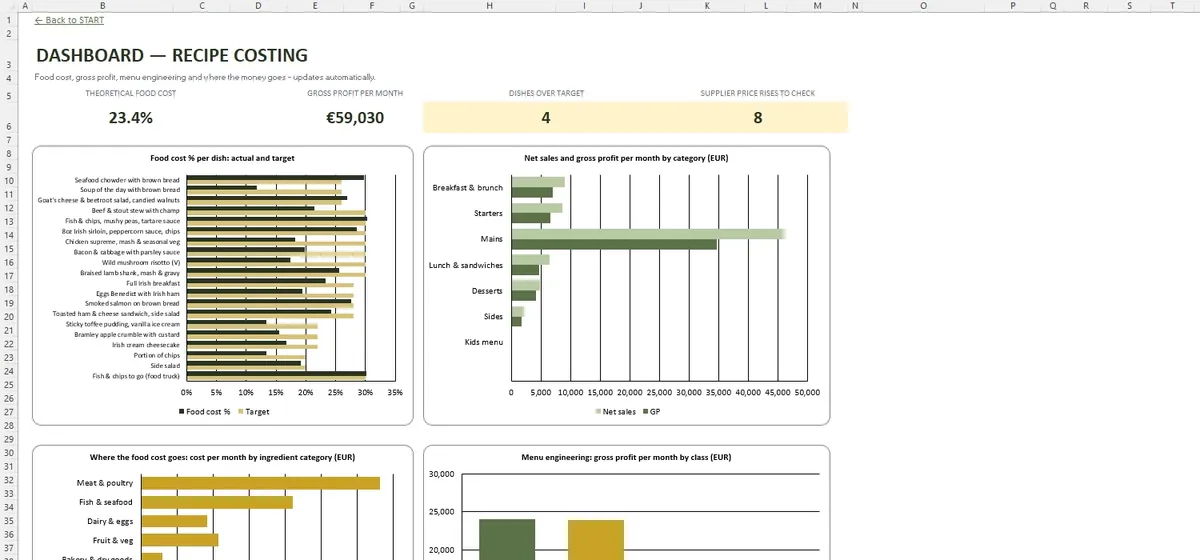
Screenshots from the file
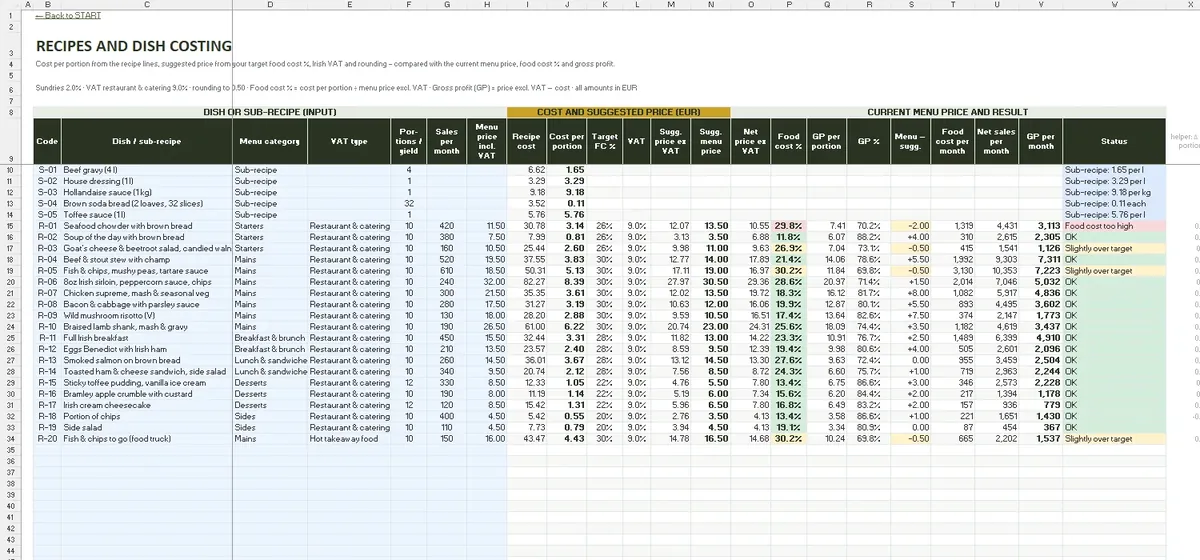
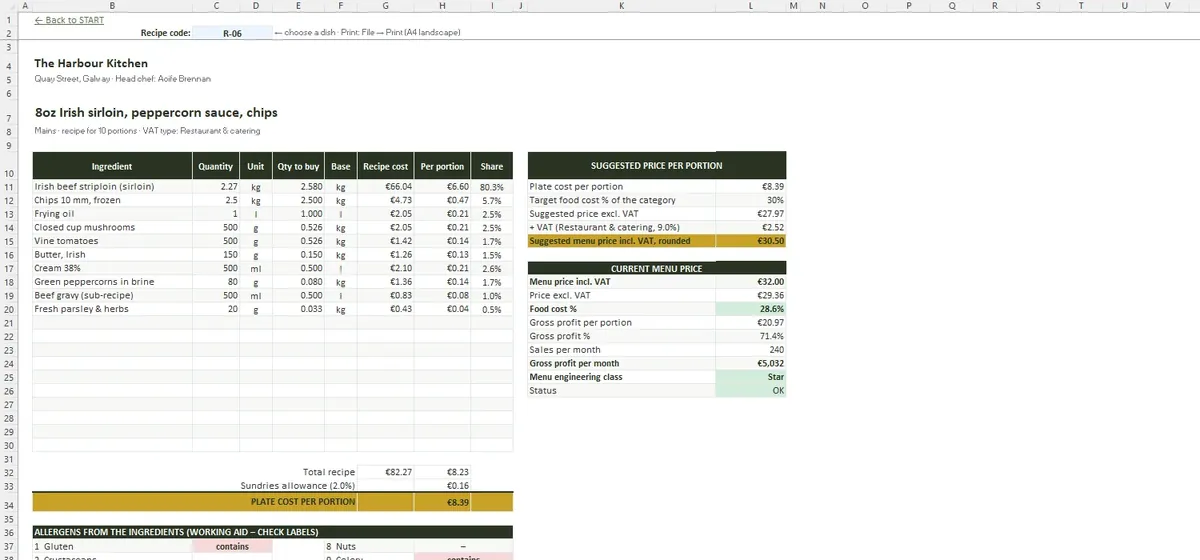
From pack price to portion
- The INGREDIENTS tab: supplier, pack, pack size, price excluding VAT and yield
- RECIPE LINES: quantities for every dish and sub-recipe such as gravy or brown bread
- RECIPES: portions, VAT type, sundries allowance and suggested price
- RECIPE CARD: an A4 card with ingredients, costs and method
VAT types cover 9% for restaurant and catering, 0% for cold takeaway and 23% for alcohol and soft drinks – all editable.
Allergens from the ingredients
Each ingredient carries its allergens, and ALLERGENS pulls them through recipes and sub-recipes to the dish, with menu numbers 1 to 14. Change an ingredient and the dish's allergen list follows.
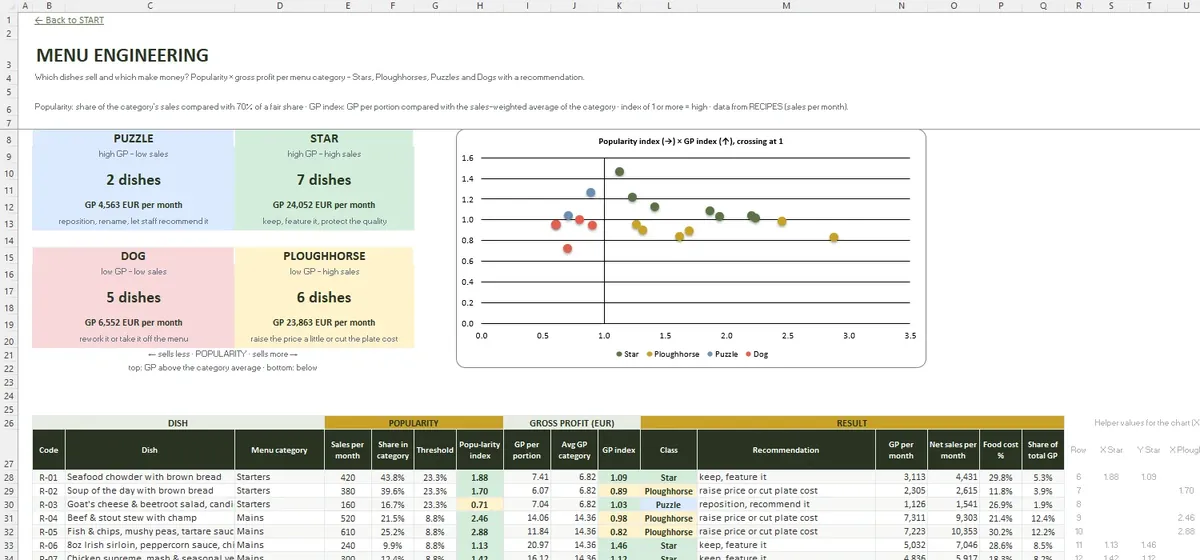
Which dishes earn their place
MENU ENGINEERING compares popularity and gross profit within each menu category and sorts dishes into four groups, from stars to dishes that neither sell nor earn. PRICE UPDATE shows what new supplier prices do to every dish before you change the menu.
Questions and answers
What food cost % should I aim for?
Can sub-recipes go inside other recipes?
Is the price suggestion rounded?
The file in numbers
- START
- SETTINGS
- INGREDIENTS
- RECIPE LINES
- RECIPES
- RECIPE CARD
- ALLERGENS
- MENU ENGINEERING
- PRICE UPDATE
- DASHBOARD
- File format
- .xlsx
- Tabs
- 10
- Capacity
- 200 ingredients · 100 dishes and sub-recipes · 700 recipe lines · 15 price updates
- Requires
- Excel 2016+ / Microsoft 365
- Macros
- None